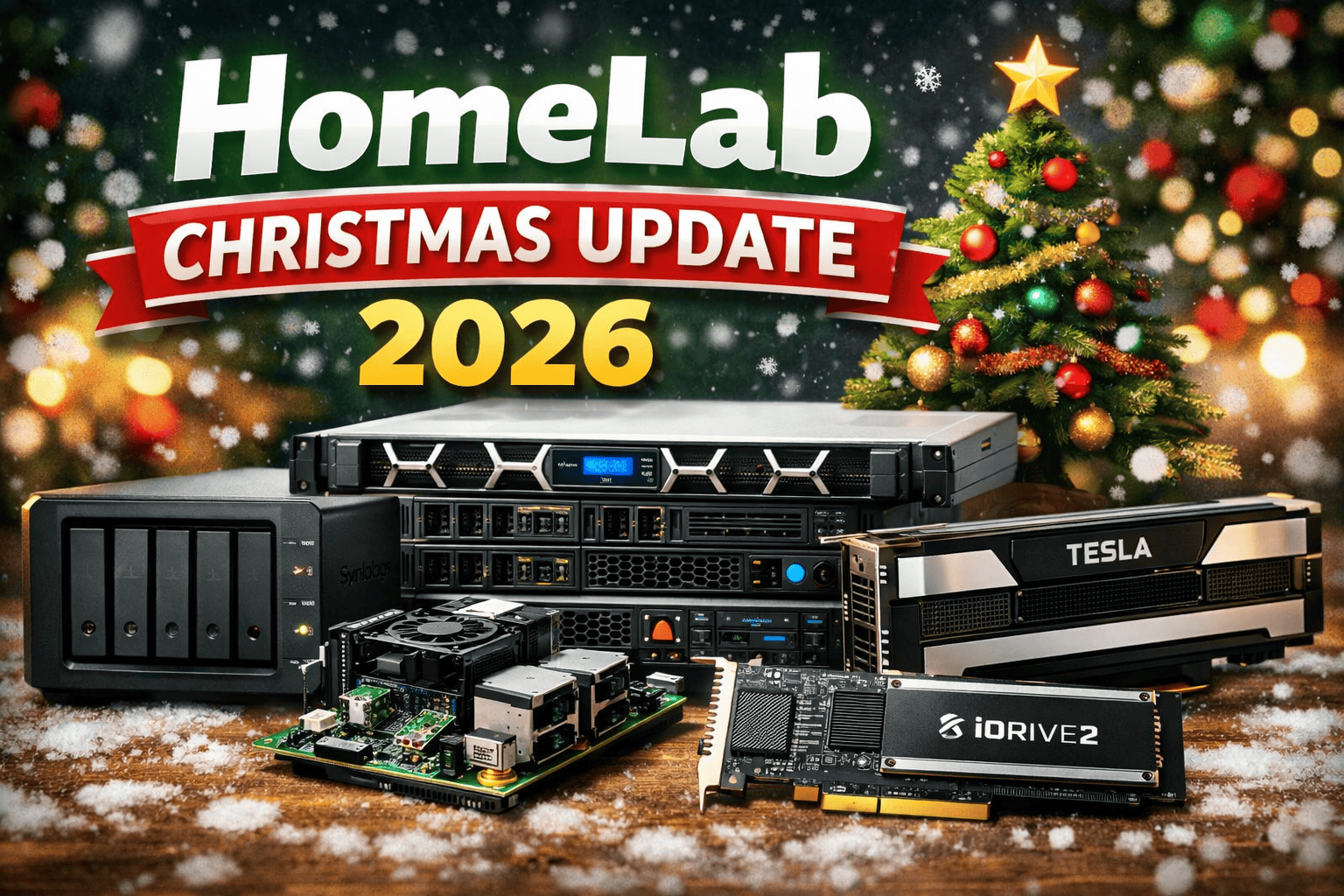
How the my Home-Lab evolved
I published My HomeLab 2025 back in March 2025. At that time, the lab was very much a classic, single-location setup – x86-based ESXi hosts, shared storage, and an environment designed for day-to-day testing, learning, and validation.
Since then, the lab has not grown dramatically in size – but it has evolved in depth and intent. Over the course of 2025 and throughout 2026, the focus shifted toward better storage design, distributed edge-style setups, and on-demand enterprise compute, rather than adding more always-on hardware.
This update captures that evolution.
Storage Evolution – Synology as the Core Backbone
One of the most impactful changes since March 2025 happened on the storage side.
My Synology DS923+ was significantly expanded and now serves as the central storage backbone of the HomeLab.
DS923+ Configuration
- 4 x 12 TB HDDs for capacity-focused workloads
- 2 x 512 GB NVMe SSDs used as a dedicated VM workload datastore
- 10GbE NIC providing high-throughput connectivity to ESXi
Instead of using NVMe as cache, the SSDs are assigned directly to VM workloads where predictable latency and consistent performance matter more than raw capacity.
Storage Services
The DS923+ now provides:
- NFS datastores for ESXi
- iSCSI LUNs for selected workloads and testing scenarios
- VM templates and ISO repositories
- Centralized storage for lab services and automation
For a compact 4-bay NAS, this setup strikes an excellent balance between performance, flexibility, and power efficiency.
Distributed Storage for ESXi on ARM
As the lab expanded beyond a single physical location, local storage became increasingly important – especially for lightweight, site-local services.
To support the distributed ESXi on ARM setup, I repurposed two older Synology systems:
- Synology DS214+
- Synology DS414slim
Both systems are now deployed close to the Raspberry Pi 5 ESXi hosts and provide:
- Local NFS datastores
- Targets for encrypted backup synchronization
- Storage for lightweight, site-local services
This keeps the remote ARM hosts independent and resilient, while still fitting cleanly into the overall lab architecture – very similar to how small edge sites are designed in real-world environments.
On-Demand Compute – Dell PowerEdge R740
The most notable addition in 2025 was the introduction of a Dell PowerEdge R740, which fundamentally changed how heavy workloads are handled in the lab.
Instead of expanding the always-on baseline, this system was added with a clear philosophy:
Enterprise-grade compute power – available only when needed.
The R740 is normally powered off and brought online via iDRAC only for specific scenarios – primarily VMware Cloud Foundation (VCF) lab testing, large-scale simulations, or memory- and CPU-intensive experiments.
Hardware Overview
- 2 x Intel Xeon Gold 6134 @ 3.20 GHz
- 512 GB ECC RAM
- Local SSD RAID storage
- NVIDIA Tesla M10
- FusionIO ioDrive2
This approach keeps power consumption, noise, and heat under control, while still allowing realistic enterprise-scale testing when required.
Hardware Reality – Powerful, but with Clear Limits
Not every component in the R740 is modern – and that is very much intentional. This system was added to the lab with a clear understanding of its strengths and its boundaries.
NVIDIA Tesla M10 – Density First, Compute Second
The NVIDIA Tesla M10 is a good example of hardware that still has value, but only in the right context.
Architecturally, the M10 is based on Maxwell (GM107). Its original design goal was VDI density, not compute acceleration:
- Four physical GPUs on a single card
- Optimized for vGPU consolidation
- Low power draw per GPU
- Designed for graphics offload, not heavy math
What it does not provide:
- No Tensor Cores
- No modern CUDA feature set
- Very limited FP16 or FP32 throughput
- No realistic support for AI or ML workloads
Modern AI pipelines rely heavily on tensor operations, high-bandwidth memory, and newer CUDA features. The Tesla M10 predates this ecosystem entirely, which makes it a poor choice for AI workloads.
In practice, the M10 is still useful for:
- Density-focused vGPU testing
- Legacy VDI-style labs
- Understanding older NVIDIA virtualization models
FusionIO ioDrive2 – Fast Hardware, Frozen in Time
The FusionIO ioDrive2 tells a similar story from the storage side.
From a hardware perspective, the ioDrive2 is still impressive:
- Extremely low latency
- High IOPS
- PCIe flash long before NVMe became standard
The limiting factor today is software support:
- Native ESXi driver support is discontinued
- The device is no longer usable as an ESXi datastore
- Operation is only possible via PCI passthrough
- Guest access relies on community-maintained Linux drivers
This means:
- No integration with ESXi storage stacks
- No hypervisor-level visibility
- No production-safe upgrade path
In the lab, that limits the ioDrive2 to:
- Passthrough experiments
- Linux-based performance testing
- Historical and architectural comparisons
It is a strong reminder that raw performance alone is meaningless without long-term platform support.
Why This Still Works
Despite these constraints, the R740 fits perfectly into the HomeLab.
The entire system was free of charge, courtesy of an old friend. I have been doing consulting work for him for more than 10 years, and when this hardware was retired from his environment, it felt more like a continuation of a long professional relationship than a lucky coincidence.
That context matters. It turns the hardware into something very different:
- The Tesla M10 becomes a learning tool, not an expectation mismatch
- The ioDrive2 becomes an experiment, not a dependency
- The R740 becomes a powerful, on-demand platform with clearly understood limits
For a HomeLab, this is often the ideal balance – enterprise-grade hardware, realistic constraints, zero acquisition cost.
Closing Thoughts
This 2026 update reflects a HomeLab that has matured rather than expanded. The focus is no longer on adding hardware for its own sake, but on architecture, efficiency, and intent.
Over time, the lab has become less about raw capacity and more about:
- using the right tool for the right job
- understanding the limits of hardware
- designing environments that resemble real-world constraints
Sometimes the most valuable upgrades are not new components at all – they are better decisions and clearer expectations.




Schreibe einen Kommentar