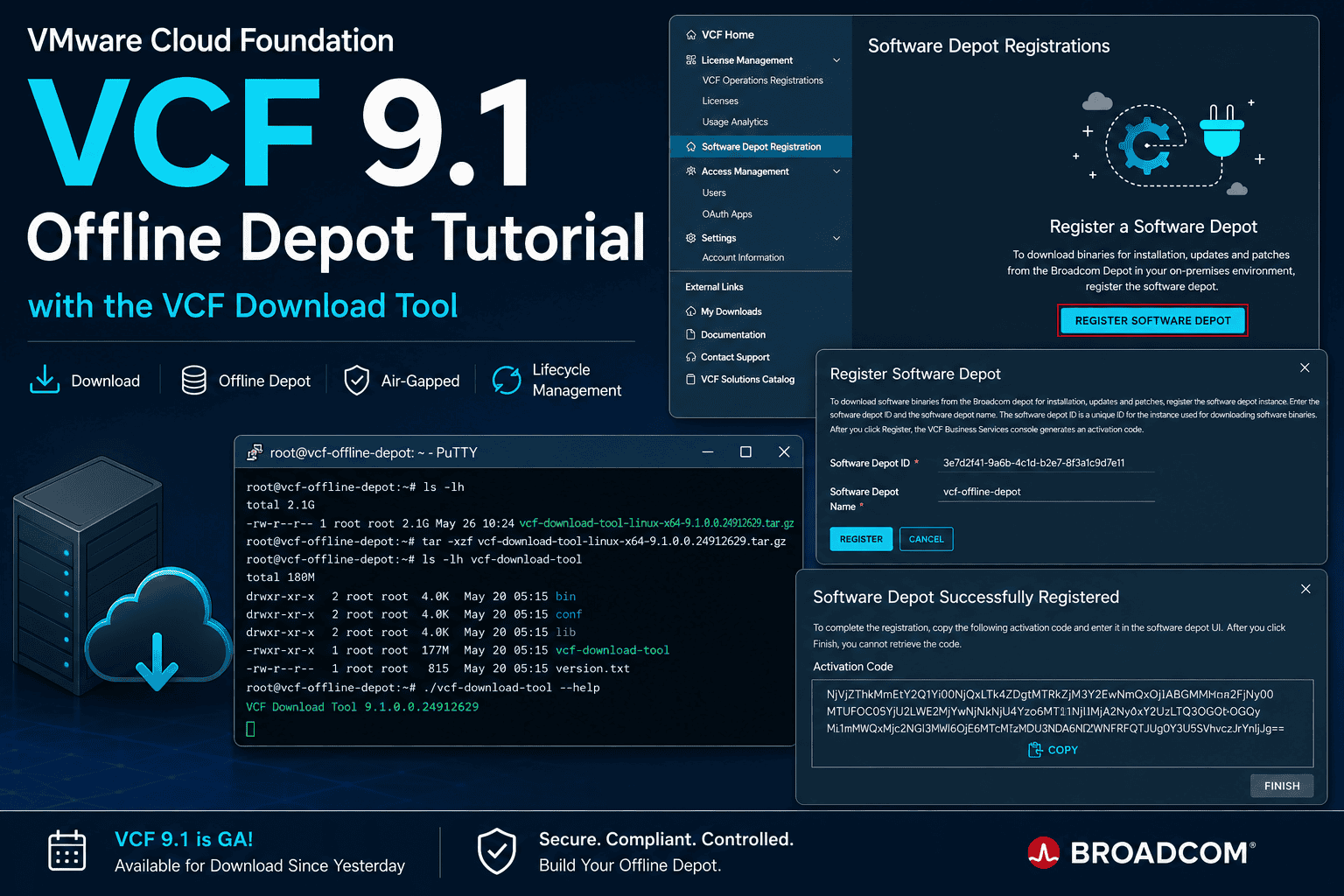
VMware Cloud Foundation 9.1 became Generally Available (GA) for download yesterday and introduces major improvements around lifecycle management and offline software repositories.
One of the most useful additions for enterprise and air-gapped environments is the enhanced VCF Download Tool and the integrated Software Depot Registration workflow.
Especially for customers operating secured datacenters without direct internet access, the new approach simplifies how VCF binaries, updates and lifecycle bundles are downloaded and maintained internally.
Official documentation:
Why Offline Depots Matter
Offline depots are essential for:
- Air-gapped environments
- Government and regulated infrastructures
- Enterprise staging environments
- Multi-site VMware Cloud Foundation deployments
- Faster lifecycle operations
- Controlled patch management
Instead of downloading bundles directly from Broadcom on every environment, administrators can now maintain a centralized internal depot that mirrors the official Broadcom repository.
VCF 9.1 significantly improves this workflow.
Registering the Software Depot
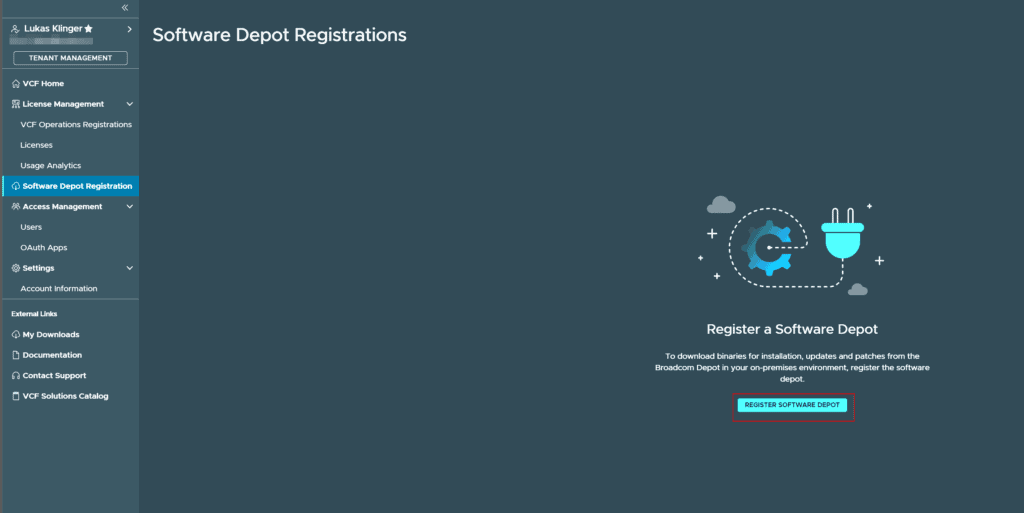
The registration process is now integrated into the VCF Business Services Console.
The workflow starts in:
License Management → Software Depot Registration
After clicking Register Software Depot, a new depot instance can be created.
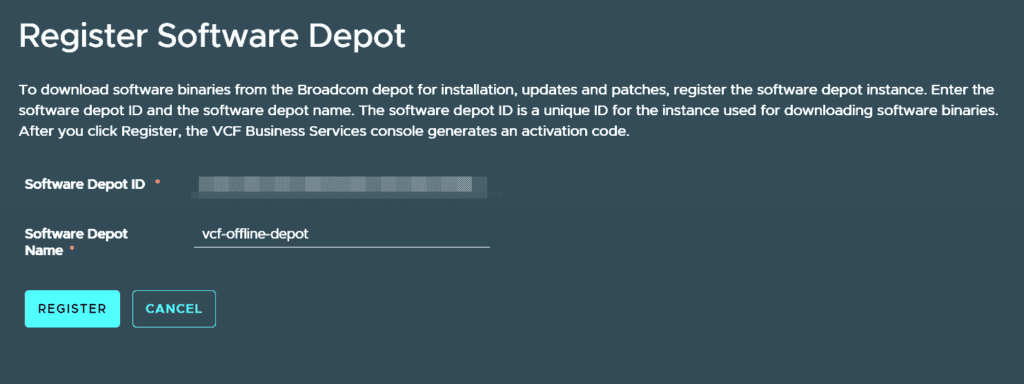
During registration:
- A unique Software Depot ID is assigned
- A custom depot name can be configured
- An activation code is generated
- The activation code must be copied immediately
The activation code is only shown once.
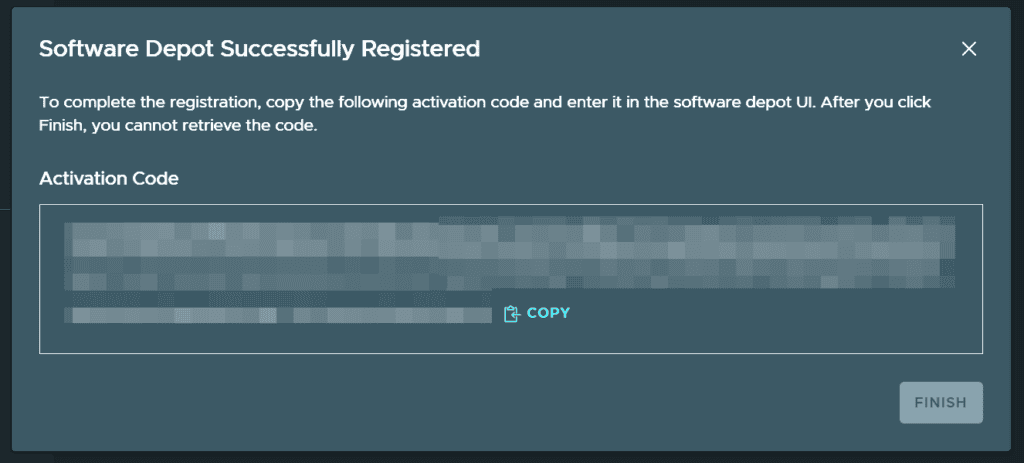
Make sure to securely store the generated activation code before closing the window.
Extracting the VCF Download Tool
The new VCF Download Tool package can be extracted directly on the Linux system hosting the offline depot.
Example from my deployment session:
tar -xvf vcf-download-tool-9.1.0.0.25371089.tar.gzThe archive contains several components including:
bin/vcf-download-tool
bin/lcm-bundle-transfer-util
conf/offline_depot/
conf/offline_depot/catalog_index.xml
conf/offline_depot/depot_metadata.xml
The structure clearly shows that Broadcom now delivers a much more complete and integrated offline depot framework compared to previous bundle handling methods.
Important Components Inside the Package
The extracted package contains:
vcf-download-tool
Main binary used for:
- Downloading binaries
- Syncing metadata
- Managing offline depots
- Downloading updates and patches
lcm-bundle-transfer-util
Utility for handling lifecycle bundle operations.
offline_depot configuration
The package already includes:
- Depot metadata templates
- Catalog structure
- Depot configuration files
- Token configuration placeholders
This makes the setup process much cleaner than older manual approaches.
Typical Offline Depot Workflow
After registration and extraction, the typical workflow looks like this:
1. Register the Software Depot
Create the depot inside the Broadcom VCF portal and generate the activation code.
2. Configure Authentication
Store the activation token securely on the download host.
3. Extract the Download Tool
tar -xvf vcf-download-tool-9.1.0.0.25371089.tar.gz4. Start Downloading Bundles
Example:
./bin/vcf-download-tool binaries download \
  --vcf-version 9.1.0 \
  --depot-store /offline-depot \
  --depot-download-activation-code-file /activation-code.txt
5. Publish the Repository
Expose the downloaded depot through:
- HTTP
- HTTPS
- Internal web server
- NFS share
- Enterprise artifact repository
6. Connect SDDC Manager
Configure SDDC Manager to consume the internal offline depot.
What Gets Downloaded?
The VCF Download Tool automatically handles:
- ESXi images
- vCenter Server binaries
- NSX packages
- VMware Tools
- VCF lifecycle bundles
- Metadata catalogs
- Patch bundles
Depending on the selected content, storage requirements can easily exceed several hundred gigabytes.
Huge Improvement for Air-Gapped Environments
One of the biggest advantages of the new VCF 9.1 workflow is the much cleaner separation between:
- Broadcom hosted repositories
- Internal enterprise repositories
- Lifecycle management operations
This allows administrators to fully control:
- Validation
- Staging
- Security scanning
- Deployment timing
- Version governance
without requiring permanent internet access from production environments.
My First Impression
The new VCF Download Tool feels like a major step forward.
Compared to older offline bundle handling methods, the workflow is:
- More integrated
- Easier to automate
- Cleaner structured
- Better suited for enterprise operations
- Easier to scale
Especially the integrated Software Depot Registration inside the VCF Business Services Console makes the entire process significantly more user friendly.
Known Issue in VCF Download Tool 9.1.0
While testing the new VCF 9.1 Download Tool, I noticed a small but important issue regarding the generated registration URL.
When regenerating the Software Depot ID using:
./vcf-download-tool configuration generate --software-depot-id
the tool currently outputs:
*********Welcome to VCF Download Tool***********

Version: 9.1.0.0.xxxxxxxx

Confirm Software depot ID regeneration. Current activation code will be invalidated. (Y/N)?Y

Use this link to register:
https://vcf.broadcom.net/vcf/clm/download-manager/register?serviceId=xxxxxxxx-xxxx-xxxx-xxxx-xxxxxxxxxxxx

Alternatively login at https://vcf.broadcom.com,
select Software depot Registration and use this Software depot ID:
xxxxxxxx-xxxx-xxxx-xxxx-xxxxxxxxxxxx

Log file: /home/vcf-user/log/vdt.log
The Problem
The generated registration URL currently points to:
https://vcf.broadcom.netHowever, the correct and functional portal URL is:
https://vcf.broadcom.comWorkaround
Until this gets fixed in a future release, simply use:
https://vcf.broadcom.comand navigate manually to:
License Management → Software Depot RegistrationThe generated Software Depot ID itself is valid – only the URL appears to be incorrect in the current VCF Download Tool 9.1.0 release.
Final Thoughts
With VMware Cloud Foundation 9.1 now officially GA, Broadcom continues improving lifecycle management for enterprise customers.
The new offline depot architecture and the enhanced VCF Download Tool make disconnected and secured VCF environments much easier to operate.
For organizations running air-gapped infrastructures, this is definitely one of the most valuable operational improvements in the VCF 9.1 release.






Schreibe einen Kommentar